
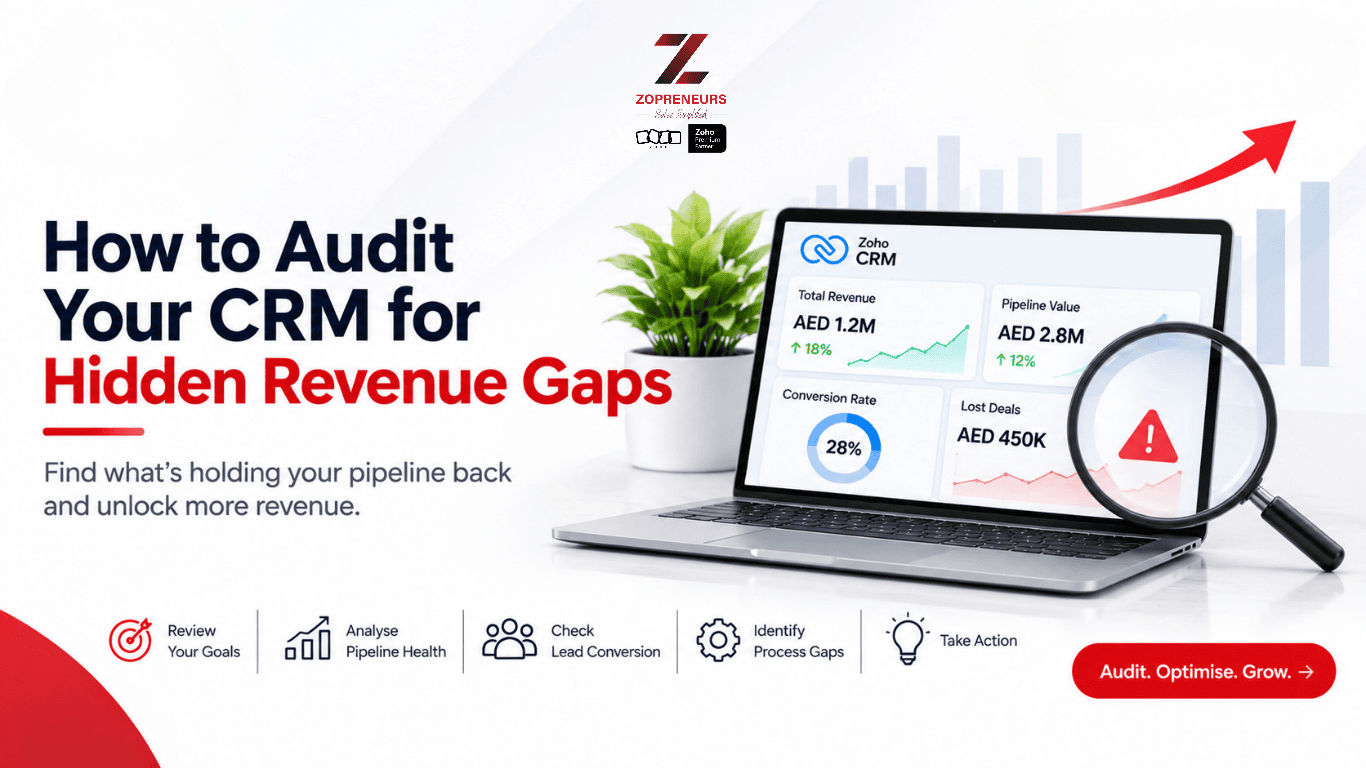
Your business might be generating a steady stream of leads, running marketing campaigns, and keeping your sales team busy. But if revenue isn't growing as expected, the problem may not be a lack of opportunities. It could be hiding inside your CRM.
Perhaps leads are going untouched for days. Maybe sales representatives are forgetting follow-ups, deals are sitting in the same pipeline stage for weeks, or customers who were once interested have quietly disappeared. Individually, these issues might seem minor. Over time, however, they can add up to significant lost revenue.
The challenge is that these gaps aren't always obvious. Your CRM dashboard may show hundreds of leads and dozens of active deals, but those numbers don't necessarily tell you how many opportunities your business is actually losing.
This is why a regular CRM audit matters.
A CRM audit helps you understand whether your system is supporting your sales process, where potential revenue is slipping away, and what needs to change to improve results. For businesses using Zoho CRM, it can also reveal opportunities to improve automation, strengthen reporting, and make better use of the data already available.
Let's look at how to identify these hidden revenue gaps and what you can do about them.
What Are Hidden Revenue Gaps in a CRM?
A revenue gap is the difference between the business your sales process could be generating and the results it actually delivers.
Not every missed opportunity is caused by a CRM problem. Pricing, competition, product fit, and market conditions all play a role. However, your CRM can help uncover operational issues that prevent otherwise promising leads from becoming customers.
Common examples include:
Leads that never receive a first follow-up.
Prospects who lose interest because responses arrive too late.
Deals that remain open even though the customer is no longer engaged.
Sales representatives who spend time on poorly qualified leads.
Existing customers who could benefit from additional products or services but are never contacted.
Reports that give managers an inaccurate picture of the sales pipeline.
The difficulty is that businesses often focus on how many leads they generate rather than what happens to those leads afterwards.
A CRM audit shifts the focus from activity to outcomes. Instead of asking how many enquiries came in last month, you start asking how many were contacted, qualified, converted, and ultimately turned into revenue.
1. Check Whether Every Lead Is Being Followed Up
One of the first places to look for lost revenue is your lead management process.
When enquiries arrive from website forms, social media, email campaigns, WhatsApp, or other channels, they need to reach the right person and receive an appropriate response.
If lead assignment is inconsistent or follow-ups depend entirely on individual memory, opportunities can easily be missed.
Start by reviewing the following:
How many new leads entered the CRM during the last 30 to 90 days?
How many received a first response?
How long did it take for the sales team to contact them?
How many leads have no recorded follow-up activity?
Are leads assigned to employees who are still responsible for handling them?
Pay attention to leads that have been sitting untouched for several days, especially those that came from high-intent enquiries such as demo requests, quotation requests, or consultation bookings.
For example, imagine a business receives 200 enquiries in a month. If 30 leads never receive a meaningful follow-up, that is a clear process gap worth investigating.
It doesn't mean all 30 would have become customers. Some may not have been suitable prospects. But without timely follow-up, your team may never find out which ones had genuine potential.
What to do next: Set clear expectations for lead response times, establish ownership rules, and use CRM workflows to create follow-up tasks or alerts when new enquiries are left unattended.
2. Look for Deals That Have Stopped Moving
A sales pipeline can look healthy on paper while hiding a very different reality.
You might have several deals marked as active, each with an estimated value attached. But if those deals haven't progressed in weeks, your forecast may be overstating the revenue likely to come in.
Review your open opportunities and identify deals that have remained in the same stage longer than expected.
Ask yourself:
When was the last meaningful customer interaction?
Is the next step clearly defined?
Has the expected closing date passed?
Is the deal still a genuine opportunity?
Is the sales representative waiting for something that needs management support?
A deal that has been stuck for three weeks isn't necessarily lost. Some business purchases naturally take months. The important question is whether the deal is progressing according to the expected sales cycle.
For instance, a B2B software company might have a prospect who attended a product demonstration but has not responded to the proposal. If the sales representative hasn't followed up or recorded the next action, the opportunity may remain in the pipeline without any real progress.
What to do next: Establish reasonable time expectations for each pipeline stage. Use reminders and reports to flag stalled deals, and encourage sales representatives to update the next action and expected closing date. Close lost opportunities when appropriate rather than keeping them open indefinitely.
3. Examine Your Sales Funnel to Find Where Conversions Drop
A CRM audit should help you understand not just how many deals you win, but where potential customers stop moving forward.
Look at conversion rates between each stage of your sales process.
For example, your pipeline might follow this journey:
New leads: Enquiries entering the CRM.
Qualified leads: Prospects who match your target customer profile.
Proposals or negotiations: Qualified opportunities moving towards a decision.
Closed deals: Opportunities converted into customers.
Suppose your team qualifies plenty of leads, but very few progress to a proposal. That might indicate a problem with qualification criteria, the discovery process, or how your service is positioned.
If many proposals are sent but few deals close, the issue could be related to pricing, objections, competitor comparisons, or inconsistent follow-up.
The CRM won't automatically tell you the reason for every lost deal, so review loss reasons and speak with the sales team to understand what is happening.
What to do next: Measure stage-to-stage conversion rates, compare results across different periods, and investigate the stages where the biggest drop-offs occur. Focus on the underlying cause before making changes to your sales process.
4. Audit Your CRM Data for Accuracy
Sales decisions are only as reliable as the information behind them.
If your CRM contains duplicate contacts, outdated phone numbers, missing lead sources, or inconsistent deal stages, your reports may not reflect what's actually happening in the business.
Poor data quality can also affect day-to-day sales activities. A representative might contact the same prospect twice, overlook an existing customer, or waste time pursuing a lead that was already marked as unsuitable elsewhere.
During your audit, check for:
Duplicate leads, contacts, and accounts.
Missing email addresses or phone numbers.
Leads without a source or assigned owner.
Deals with missing values or unrealistic closing dates.
Inconsistent loss reasons and sales-stage values.
Records that have not been updated for an extended period.
Pay particular attention to lead source data. If enquiries from a specific marketing campaign are not being recorded properly, you may struggle to understand which campaigns generate genuine revenue opportunities.
For businesses in the UAE working across several channels and markets, consistent data entry is particularly important when teams handle leads from different locations, industries, and customer segments.
What to do next: Establish basic data-entry standards, identify duplicate records, review mandatory fields, and assign responsibility for keeping CRM information accurate. Make data quality an ongoing process rather than a one-time cleanup exercise.
5. Review Your CRM Automations and Follow-Up Workflows
Automation is supposed to make sales processes easier. But poorly configured workflows can create just as many problems as they solve.
A reminder might not trigger because a condition is incorrect. A lead assignment rule might send enquiries to the wrong team. An automated email might continue going out even after a prospect has become a customer.
These issues can go unnoticed if nobody regularly reviews the system.
Check whether your CRM automations are working as intended:
Are new leads assigned to the correct sales representatives?
Are follow-up tasks created at the right time?
Are overdue activities flagged?
Do notifications reach the right people?
Are inactive or irrelevant workflows still running?
Are duplicate tasks or messages being created?
Do automated actions stop or change when a deal reaches the appropriate stage?
For example, a company may have a workflow that creates a follow-up task three days after sending a quotation. If the deal is already closed by then, the task may be unnecessary. If the workflow fails entirely, the sales representative might never receive the reminder.
Both situations are worth addressing.
What to do next: Test important workflows using sample records, review automation history where available, and remove or correct rules that no longer match your business process.
6. Check Whether Your Team Is Using the CRM Properly
Even a well-designed CRM cannot deliver its full value if the team doesn't use it consistently.
Sometimes the issue isn't the technology. It is the gap between the intended process and what employees actually do.
Sales representatives might update deals only before weekly meetings. Important customer conversations may take place on WhatsApp without being recorded. Follow-up activities might be managed in personal notes instead of the CRM.
When this happens, managers lose visibility into the sales pipeline, and other team members may struggle to pick up an opportunity when someone is unavailable.
During your audit, look at whether employees are consistently:
Updating lead and deal stages.
Recording meaningful customer interactions.
Scheduling follow-up activities.
Entering accurate deal values and expected closing dates.
Using the agreed process for qualifying and managing leads.
Avoid treating this as a simple exercise in monitoring employee activity. The purpose is to understand why the CRM isn't being used consistently.
If the system is difficult to navigate, the process may need to be simplified. If employees don't understand the workflow, additional training could help. If the CRM requires repetitive manual entry, automation may reduce the burden.
What to do next: Ask the sales team which parts of the CRM slow them down, identify unnecessary steps, and provide practical training based on their everyday responsibilities.
7. Don't Overlook Revenue From Existing Customers
Not every revenue gap comes from a new lead that failed to convert.
Existing customers can represent valuable opportunities for repeat business, renewals, upgrades, and additional services. However, these opportunities are easy to miss when customer information is not reviewed regularly.
Look at your CRM to identify customers who may need a renewal conversation, have expressed interest in another service, or have not been contacted for a long time.
For example, a business providing CRM implementation services might have customers who initially purchased implementation support but could benefit from workflow improvements, additional user licences, or ongoing optimisation.
Without a structured process for reviewing customer needs, those opportunities may never reach the sales team.
The same principle applies to real estate, professional services, IT, and other B2B industries where customer relationships can continue long after the first transaction.
What to do next: Segment existing customers, track renewal dates where relevant, record previous purchases, and create appropriate reminders for account reviews. Make sure any outreach is relevant to the customer's needs rather than simply sending repeated sales messages.
8. Measure the Metrics That Reveal Revenue Leakage
Once you have reviewed your data, pipeline, workflows, and team practices, bring the findings together in a small set of meaningful reports.
You don't need dozens of dashboards. Start with the metrics that help you understand whether your sales process is working.
| Metric | What it helps you identify |
|---|---|
| Lead response time | Whether enquiries are being handled promptly |
| Lead-to-opportunity conversion | Whether incoming leads are becoming genuine sales opportunities |
| Stage conversion rate | Where prospects are dropping out of the pipeline |
| Deal ageing | Which opportunities may need attention |
| Win rate | How effectively your team closes qualified opportunities |
| Average sales cycle | How long it typically takes to close a deal |
| Lost deal reasons | Common obstacles preventing sales |
| Repeat business or renewal rate | Whether existing customer relationships are generating continued revenue |
Review these metrics over consistent time periods and, where appropriate, compare results by team, lead source, service, or customer segment.
Be careful not to interpret every decline as a CRM issue. For example, a lower win rate might reflect a change in lead quality or market conditions rather than poor follow-up. Use the data as a starting point for investigation, not as a substitute for understanding the business.
How Zoho CRM Can Help Identify Hidden Revenue Gaps
For businesses using Zoho CRM, many parts of this audit can be supported through existing CRM records, reports, dashboards, workflow rules, and sales pipeline views.
Depending on the configuration, Zoho CRM can help businesses:
Track lead sources and follow-up activities.
Identify opportunities that have remained inactive.
Review deal progression and conversion rates.
Automate task reminders and lead assignments.
Monitor sales performance through reports and dashboards.
Maintain more consistent customer records.
Connect customer activity with ongoing sales opportunities.
Additional custom fields, workflows, integrations, or reporting configurations may be needed to track specific revenue gaps.
The important point is to configure the CRM around the way your business sells. A system that records information without helping the team act on it will have limited impact.
At Zopreneurs, we work with businesses to structure their sales processes using Zoho CRM, automation, and practical sales enablement strategies. A CRM audit can help identify where improvements are needed before adding more tools or investing in additional marketing activity.
Sometimes, the biggest opportunity isn't generating more leads. It is making better use of the leads and customer relationships you already have.
CRM Audit Checklist: What to Review
Use this checklist to organise your audit:
Check leads with no recorded follow-up.
Review deals that have remained inactive.
Measure conversion rates across pipeline stages.
Identify duplicate and incomplete records.
Test important CRM workflows and alerts.
Review CRM usage and sales team processes.
Identify repeat business and renewal opportunities.
Build reports for key revenue-related metrics.
You can complete this review in stages. Start with lead follow-ups and stalled deals, then move on to data quality, automation, and reporting. Prioritise the issues with the clearest business impact rather than trying to fix everything at once.
Turn Your CRM Into a Tool for Revenue Growth
Your CRM should do more than store contact details and display a list of open deals. It should help your business understand what is happening across the sales pipeline, identify opportunities that need attention, and give your team a clear way to move deals forward.
A regular audit can uncover problems that might otherwise remain hidden for months, from missed follow-ups and unreliable reports to inconsistent workflows and overlooked customer opportunities.
The goal is not simply to make your CRM look organised. It is to make your sales process more reliable, measurable, and effective.
Ready to Find the Gaps in Your Sales Process?
At Zopreneurs, we help businesses improve their sales operations through Zoho CRM implementation, workflow automation, and practical sales process optimisation.
Whether your team is struggling with missed follow-ups, unclear pipeline visibility, inconsistent CRM data, or deals that aren't progressing, we can help you identify opportunities to improve your process.
Book your free consultation with Zopreneurs today to review your CRM setup, uncover potential revenue gaps, and discover how a better-structured Zoho CRM can help your business convert more opportunities into customers.