As businesses grow, their CRM becomes more than just a place to store customer information. It becomes the central system for managing leads, deals, sales activities, customer data, reports, and team performance.
But with more users accessing the CRM, one important question comes up:
Who should be able to see and edit what?
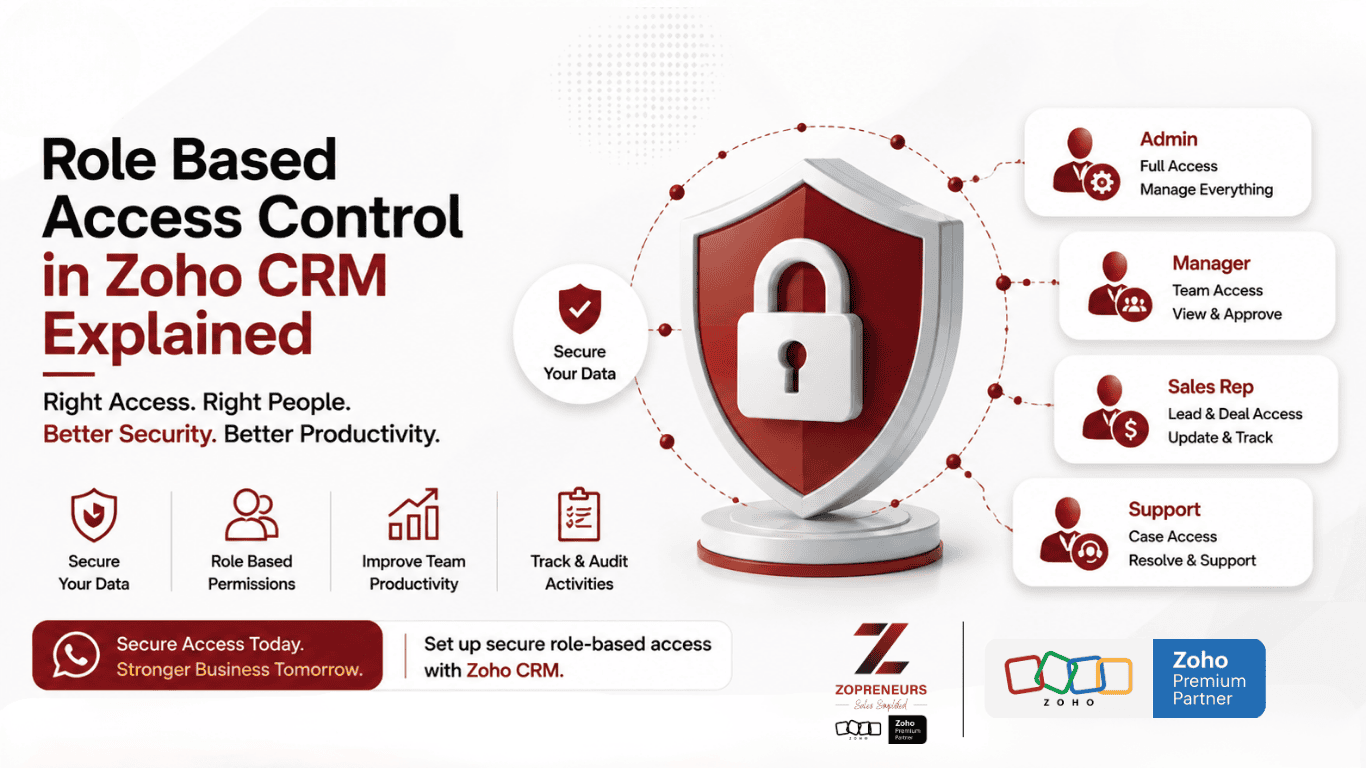
This is where Role-Based Access Control (RBAC) in Zoho CRM becomes essential.
With the right access structure, businesses can give employees the information they need without exposing sensitive data unnecessarily. In this guide, we'll explain how roles work in Zoho CRM, how they differ from profiles, and how businesses can build a secure and practical CRM access structure.
What Is Role-Based Access Control in Zoho CRM?
Role-Based Access Control is a way of controlling CRM data access based on a user's role within the organization.
Instead of giving every employee the same level of access, Zoho CRM allows businesses to create a hierarchy that reflects their organizational structure.
For example:
Sales Director
↓
Sales Manager
↓
Sales Executive
A Sales Executive may only need access to their own leads and deals, while a Sales Manager may need visibility into the records managed by their entire team.
This helps businesses maintain data security, accountability, and better control over CRM information.
Why Is RBAC Important in Zoho CRM?
Giving everyone full CRM access might seem convenient at first, but it can quickly become a problem.
Imagine a company with 50 salespeople. Should every salesperson be able to view every customer's information, modify another employee's deals, or access management-level reports?
Probably not.
A well-designed access structure can help businesses:
- Protect sensitive customer information
- Prevent unauthorized changes
- Maintain data privacy
- Improve accountability
- Give managers better visibility
- Reduce accidental data modifications
- Create a structured sales hierarchy
- Support business growth
In other words, CRM security should grow alongside your organization.
Roles vs Profiles in Zoho CRM: What's the Difference?
This is one of the most important concepts to understand when configuring Zoho CRM.
Roles and Profiles serve different purposes.
Profiles: What Can a User Do?
A profile determines the permissions and actions a user can perform in Zoho CRM.
For example, a profile can determine whether someone can:
- View records
- Create records
- Edit records
- Delete records
- Export data
- Import data
- Manage reports
- Configure CRM settings
Think of a profile as defining:
"What is this user allowed to do?"
Roles: What Data Can a User See?
Roles primarily establish the organizational hierarchy and record visibility.
For example:
A Sales Manager may be able to see the records owned by their Sales Executives.
A Sales Executive may primarily see their own records and records shared with them.
Think of a role as defining:
"Whose data can this user see?"
A Simple Example
Consider a company with this structure:
CEO
↓
Sales Manager
↓
Sales Executives
The CRM could be structured so that:
CEO
- Has broad visibility across the organization
- Can access management reports
- Can view sales performance
Sales Manager
- Can view their team's leads
- Can monitor deals
- Can review sales activities
- Can manage team performance
Sales Executive
- Can work on assigned leads
- Can update their deals
- Can manage their customer interactions
This creates a clear flow of information while limiting unnecessary access.
How the Zoho CRM Role Hierarchy Works
Zoho CRM roles can be arranged according to your organization's structure.
For example:
CEO
↓
Head of Sales
↓
Regional Sales Manager
↓
Sales Executive
↓
Sales Coordinator
The hierarchy determines how information can flow between different levels of the organization.
This becomes particularly useful for businesses with:
- Multiple sales teams
- Regional offices
- Branches
- Departments
- Territory-based sales
- Multiple management levels
Instead of creating complicated manual sharing rules for every employee, the role hierarchy provides a structured foundation for data visibility.
What About Data Sharing Rules?
Roles aren't the only access-control feature available in Zoho CRM.
Businesses can also use data sharing rules to extend access when required.
For example, imagine two sales teams:
- UAE Sales Team
- Saudi Sales Team
Normally, each team may work with its own customers.
However, the Sales Director might need visibility across both teams.
Sharing rules can help provide additional access without changing the entire organizational hierarchy.
This is particularly useful when teams need to collaborate across departments or regions.
Role Hierarchy vs Sharing Rules
A simple way to understand the difference:
| Feature | Main Purpose |
|---|---|
| Roles | Establish organizational hierarchy |
| Profiles | Define user permissions |
| Sharing Rules | Extend record access |
| Territories | Manage access based on geographic or business territories |
Using these features together allows businesses to build a much more flexible CRM security model.
Common Mistakes Businesses Make With Zoho CRM Access
1. Giving Everyone Administrator Access
This is one of the biggest mistakes.
Not every user needs access to CRM configuration, automation, integrations, or system settings.
Give users only the permissions they actually need.
2. Creating Too Many Roles
It's tempting to create a separate role for every job title.
But an overly complicated hierarchy can make CRM management difficult.
Instead, build roles around actual data visibility and reporting requirements.
3. Ignoring Employee Changes
Employees get promoted, change departments, or leave organizations.
If their CRM access isn't updated, they may continue having permissions they no longer need.
Regular access reviews are important.
4. Treating Profiles and Roles as the Same Thing
Remember:
Profile = What users can do
Role = What organizational data they can access
Understanding this distinction makes Zoho CRM administration much easier.
Best Practices for Setting Up RBAC in Zoho CRM
Before creating roles, take a step back and map your organization.
Step 1: Identify Your Teams
List departments such as:
- Sales
- Marketing
- Customer Support
- Finance
- Management
Step 2: Map Your Hierarchy
Determine who reports to whom.
For example:
Sales Director → Sales Manager → Sales Executive
Step 3: Identify Sensitive Information
Determine which data needs restricted access.
This could include:
- Customer financial information
- Pricing
- Sales commissions
- Strategic accounts
- Management reports
Step 4: Define User Permissions
Use profiles to determine what each user can create, view, edit, delete, or export.
Step 5: Configure Data Visibility
Use roles, sharing rules, and other CRM access settings to control which records users can access.
Step 6: Review Regularly
Your CRM structure shouldn't remain unchanged forever.
As your company grows, your access structure should evolve with it.
Why Proper CRM Access Matters for Growing Businesses
A CRM isn't just a software platform. It contains valuable business information.
Poor access management can lead to:
- Data leaks
- Accidental record deletion
- Incorrect updates
- Confidential information being exposed
- Poor accountability
- Unnecessary administrative work
On the other hand, a well-designed access structure gives your teams the information they need while keeping sensitive information protected.
That's why Zoho CRM implementation isn't simply about configuring modules and workflows. It's also about designing the right security architecture.
Build a Smarter Zoho CRM With Zopreneurs
Setting up roles and permissions may look straightforward, but designing the right access structure for your business requires understanding how your teams actually work.
At Zopreneurs, a Zoho Premium Partner, we help businesses design, implement, customize, and optimize Zoho CRM according to their processes and organizational structure.
From CRM implementation and customization to workflow automation, integrations, user permissions, dashboards, and training, our team helps businesses get more from their Zoho investment.
Ready to build a more secure and efficient Zoho CRM?
Let's make your CRM work the way your business works.
👉 Talk to Zopreneurs today for a Zoho CRM consultation and discover how we can help you design the right CRM structure for your business.
Zopreneurs — Your Zoho Premium Partner. 🚀