In real estate, closing a deal is only part of the job. Once a property is sold or rented, there’s another question that often takes time to answer:
Who gets what commission, and how is each agent actually performing?
When this information is managed through spreadsheets, WhatsApp messages, emails, and separate accounting systems, things can quickly become messy. Commission calculations may take hours, sales managers may struggle to get a clear picture of agent performance, and small errors can lead to bigger problems later.
This is where a CRM for real estate can make a real difference.
With the right CRM setup, real estate businesses can bring property deals, agents, commissions, targets, follow-ups, and performance reports into one place.
Why Tracking Real Estate Commissions Can Be Difficult
Real estate commissions aren't always as simple as applying one percentage to every transaction.
An agency might have:
- Different commission rates for different properties
- Separate structures for sales and rentals
- Agent-specific commission agreements
- Team or referral commissions
- Different splits between agents and the company
- Discounts or deductions
- Commission payments made in multiple stages
When these calculations are handled manually, it becomes easy to lose track.
For example, imagine an agent closes a property worth AED 2 million. The agency earns a certain percentage, but the agent may only receive a portion of that amount based on their agreement.
Now multiply that by 10, 20, or 50 transactions.
A spreadsheet might work for a small team, but as the business grows, managing everything manually becomes increasingly difficult.
How a CRM Helps Track Real Estate Commissions
A properly configured CRM can connect the entire sales process, from the first enquiry to the final commission.
Instead of maintaining separate records for leads, properties, agents, deals, and commissions, the information can be connected.
For example:
Lead → Property → Opportunity → Agent → Closed Deal → Commission → Payment
This gives managers a much clearer view of what is happening at every stage.
A CRM such as Zoho CRM can also be customized around the way a real estate company actually works rather than forcing the team to follow a generic process.
1. Track Every Deal Against the Right Agent
One of the first steps is making sure every deal is properly associated with the agent responsible for it.
Once a deal is closed, the CRM can capture information such as:
- Property value
- Property type
- Agent name
- Deal closing date
- Commission percentage
- Total commission
- Agent's commission share
- Referral or partner commission
- Payment status
This creates a single source of truth for every transaction.
Instead of asking, "Which agent closed this deal?" or "Has this commission been paid?", managers can simply check the CRM.
2. Automate Commission Calculations
Manual commission calculations can consume a surprising amount of time.
A CRM can be configured to calculate commissions automatically based on predefined rules.
For example:
Property Value: AED 1,500,000
Agency Commission: 2%
Total Commission: AED 30,000
Agent Share: 50%
Agent Commission: AED 15,000
The exact calculation can vary depending on the company's commission structure.
The important part is that the calculation doesn't have to be performed manually every time.
Custom fields, formulas, workflows, and automation can help reduce repetitive work and minimize calculation errors.
3. Set Individual Agent Targets
Commission tracking is only one side of performance management.
Real estate managers also need to know whether agents are actually meeting their targets.
A CRM can help track metrics such as:
- Number of leads received
- Leads contacted
- Property viewings
- Follow-ups completed
- Deals created
- Deals closed
- Revenue generated
- Commission generated
- Conversion rate
- Monthly and quarterly targets
This makes performance discussions more objective.
Instead of saying, "I think this agent is doing well," managers can look at actual numbers.
4. Identify Your Top-Performing Agents
Not every agent contributes in the same way.
One agent might close fewer deals but generate higher-value transactions. Another might handle a large number of leads but have a lower conversion rate.
A CRM dashboard can help managers compare performance across the team.
For example:
| Agent | Deals Closed | Sales Value | Commission Generated |
|---|---|---|---|
| Agent A | 8 | AED 6.2M | AED 124K |
| Agent B | 11 | AED 5.4M | AED 108K |
| Agent C | 5 | AED 4.8M | AED 96K |
This type of reporting gives management a much better understanding of where revenue is coming from.
It can also highlight agents who may need additional training or support.
5. Track Pending Commissions
Getting a deal closed doesn't necessarily mean the commission has already been received.
There may be approvals, documentation, payment schedules, or other steps before the agent receives their commission.
A CRM can include commission statuses such as:
Pending → Approved → Invoiced → Received → Paid
This makes it easier for finance and sales teams to stay aligned.
Managers can also create reports showing how much commission is currently pending and which transactions require attention.
6. Connect Sales Performance With Revenue
One of the biggest advantages of using a CRM is being able to connect activities with actual business results.
You can look beyond the number of calls or leads and ask more meaningful questions:
- Which agents generate the most revenue?
- Which property types produce the highest commissions?
- Which agents have the best conversion rates?
- Which sources generate the highest-value leads?
- How long does it take an agent to close a deal?
- Which agents consistently meet their monthly targets?
These insights can help management make better decisions about lead distribution, incentives, recruitment, and training.
7. Use Dashboards Instead of Manual Reports
Nobody wants to spend the last few days of every month combining spreadsheets just to prepare a sales report.
With CRM dashboards, important numbers can be visible in one place.
A real estate sales manager could have a dashboard showing:
Sales Overview
- Total pipeline value
- Closed deals
- Monthly revenue
- Conversion rate
Agent Performance
- Deals closed per agent
- Revenue per agent
- Target vs achievement
- Commission generated
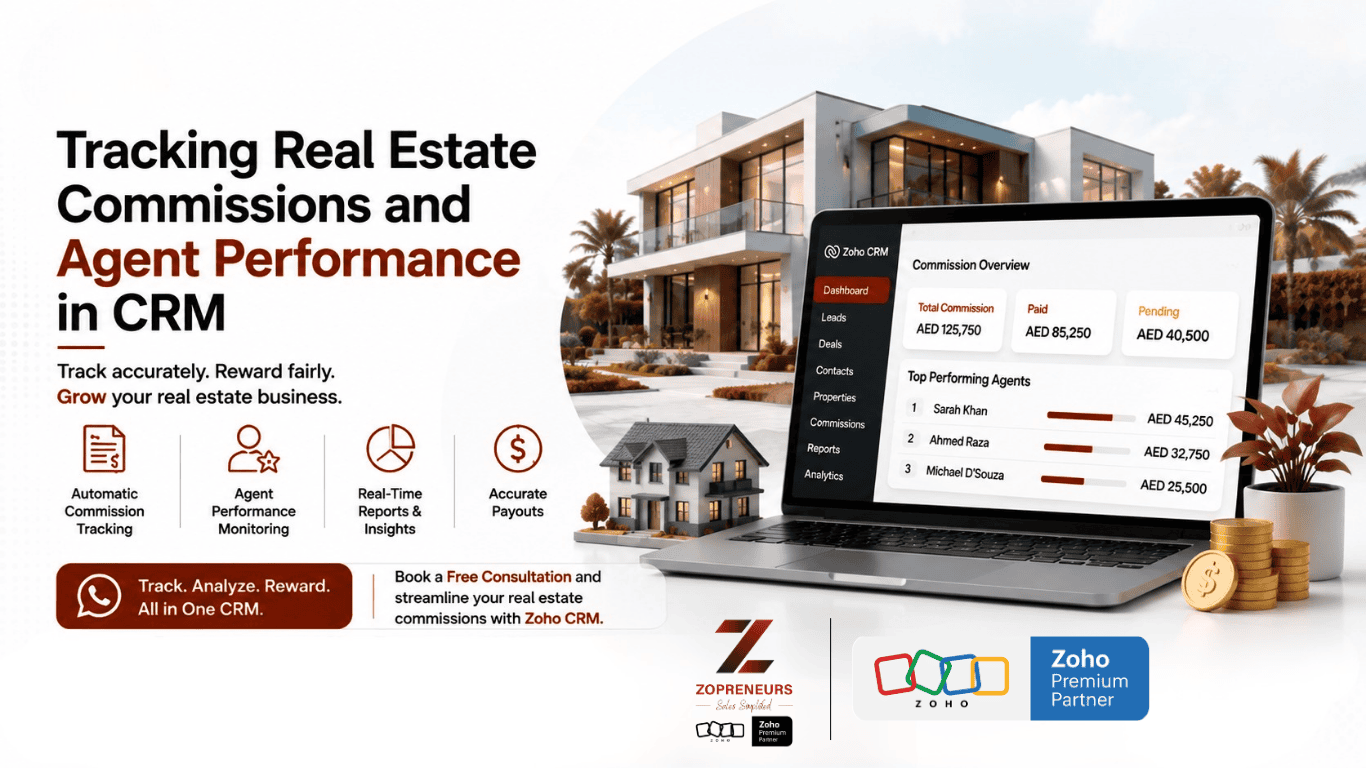
Commission Overview
- Total commission
- Pending commission
- Paid commission
- Commission by agent
This means managers can spend less time preparing reports and more time acting on the information.
What About Real Estate Teams With Different Commission Structures?
This is where CRM customization becomes particularly useful.
Every real estate company has its own way of calculating commissions. Some may use fixed percentages, while others use tiered structures or different splits depending on the property, agent, or transaction type.
Rather than forcing everyone into the same process, a CRM can be customized to match these rules.
For example, you could have different commission calculations for:
Property Sales
Commission based on the property's selling price.
Rentals
Commission based on annual rent or an agreed fixed amount.
Referral Deals
A predefined percentage allocated to the referring agent.
Team Deals
Commission divided between multiple agents.
The exact setup depends on the company's business model and internal policies.
Choosing the Right CRM for Your Real Estate Business
A CRM should do more than store contact information.
For a real estate company, it should help connect the entire sales process.
Look for a CRM that can handle:
- Lead and contact management
- Property and deal tracking
- Agent assignment
- Sales pipeline management
- Commission calculations
- Workflow automation
- Performance dashboards
- Target tracking
- Follow-up automation
- Reporting and analytics
- Integrations with other business tools
Zoho CRM can be a strong option for real estate businesses because it can be customized around specific sales processes and integrated with other applications in the Zoho ecosystem.
The goal isn't simply to add another software tool to your business.
The goal is to create a system where your team can see what is happening, automate repetitive tasks, and make decisions using reliable data.
Final Thoughts
Real estate businesses deal with a huge amount of information every day. Leads, properties, viewings, negotiations, deals, payments, commissions, and agent performance all need to be tracked.
When this information is scattered across spreadsheets and different communication channels, it becomes difficult to get a complete picture.
A well-designed real estate CRM brings these processes together.
It can help you calculate commissions more efficiently, monitor agent performance, identify sales trends, and give managers the visibility they need to run a stronger sales operation.
And as your real estate business grows, having this structure in place can make scaling much easier.
Ready to Get More From Your Real Estate CRM?
At Zopreneurs, we help businesses in the UAE and beyond build smarter CRM systems using Zoho's ecosystem.
As a Zoho Premium Partner, our team can help you design, customize, automate, and optimize Zoho CRM around your real estate business — including lead management, deal tracking, agent performance, commission workflows, dashboards, and reporting.
Want to see what a customized real estate CRM could look like for your business?
👉 Talk to Zopreneurs today and let’s build a CRM that works the way your real estate team works.